
Many organizations know that cloud storage services offer several advantages over traditional on-premise data storage methods. Cloud storage costs less than on-premise, authorized users can access it via the Internet from anywhere, and it scales very easily depending on your company’s needs.
But the underlying technical details are just as important for IT decision-makers to be aware of as these higher-level benefits. There are different cloud storage types that suit different use cases—this article explains them clearly to help your company make a more informed choice about cloud storage.
How Does Cloud Storage Work?
Cloud storage, on a hardware level, works similarly to any traditional hard disk storage method. Physical hard drives store information—most cloud storage providers have hundreds of thousands or even millions of such storage drives. Servers control access to information stored in the cloud, and users with the right access credentials can access the stored information.
The big difference between on-premise storage and cloud storage is that the maximum storage space is far larger in the cloud. An on-premise computer housed in a data center with six hard drive connectors has a maximum storage capacity of six hard drives. In the cloud, there’s a separation of logical and physical storage, so that one logical storage unit can have thousands of hard drives. This separation of physical and logical storage is known as software-defined storage.
Software-defined storage technology is what drives most of the cloud storage benefits, such as scalability and lower costs. Even though the cloud user ultimately remains unaware of this type of technology, it’s still interesting to know what’s going on behind the scenes.
What to Look for in a Cloud Storage Service
As a business, your choice of cloud storage service is not a trivial decision. It would be quite an expensive experiment to choose one vendor only to find that they don’t support a certain use case, their service is too costly, or their service is not up to your organization’s standards. With that in mind, here are some crucial metrics and questions to consider when procuring a cloud storage service:
- Is the data encrypted? (see tips on cloud security for businesses)
- Does the vendor offer intelligent storage analysis and optimization?
- What is the cost per gigabyte?
- What is the latency for reading and writing operations?
- Is storage compression used?
- What are the storage capacity limits?
Hot vs Cold Storage
When evaluating cloud storage services, it’s crucial to identify whether you need hot or cold storage. Hot and cold storage are the two main categories of performance you’ll often see in cloud vendor services.
Hot storage makes information instantly accessible and acts as a direct replacement for hard drive space in a traditional data center. The focus of hot storage is on speed and high frequency of access, which makes for a higher cost per gigabyte. Cold storage is used for long-term archival storage and infrequently access data, so it costs less per gigabyte.
Cloud Storage Types
The cloud storage type refers to the particular way in which information is stored and retrieved from the vendor’s storage media. The logical configuration of 0s and 1s—how they’re organized—can make a big difference to performance. It’s crucial you know about these cloud storage types and choose a cloud vendor that offers what you need.
Block Storage
Block storage splits files into chunks of data of equal sizes. Each data chunk has a unique address on the hard drive. Because files are split into chunks, it’s possible to modify parts of files in block storage without needing to read or open the entire file.
Block storage should be favored by any IT department that cares about performance for large, structured databases and frequently accessed data. Structured data is organized data that is stored within a fixed field within a file. For example, a relational database might contain inventory data stored in rows and columns. Spreadsheets are also structured.
If you opt for hot cloud storage for a relational database application, block storage will give you the performance you need. Other use cases include storage area networks in enterprise data centers and email server software.
File Storage
File storage assigns a hierarchical structure to files and organizes them into folders on a hard drive. Pretty much every Windows user is familiar with the below screenshot, which is representative of a file storage structure.
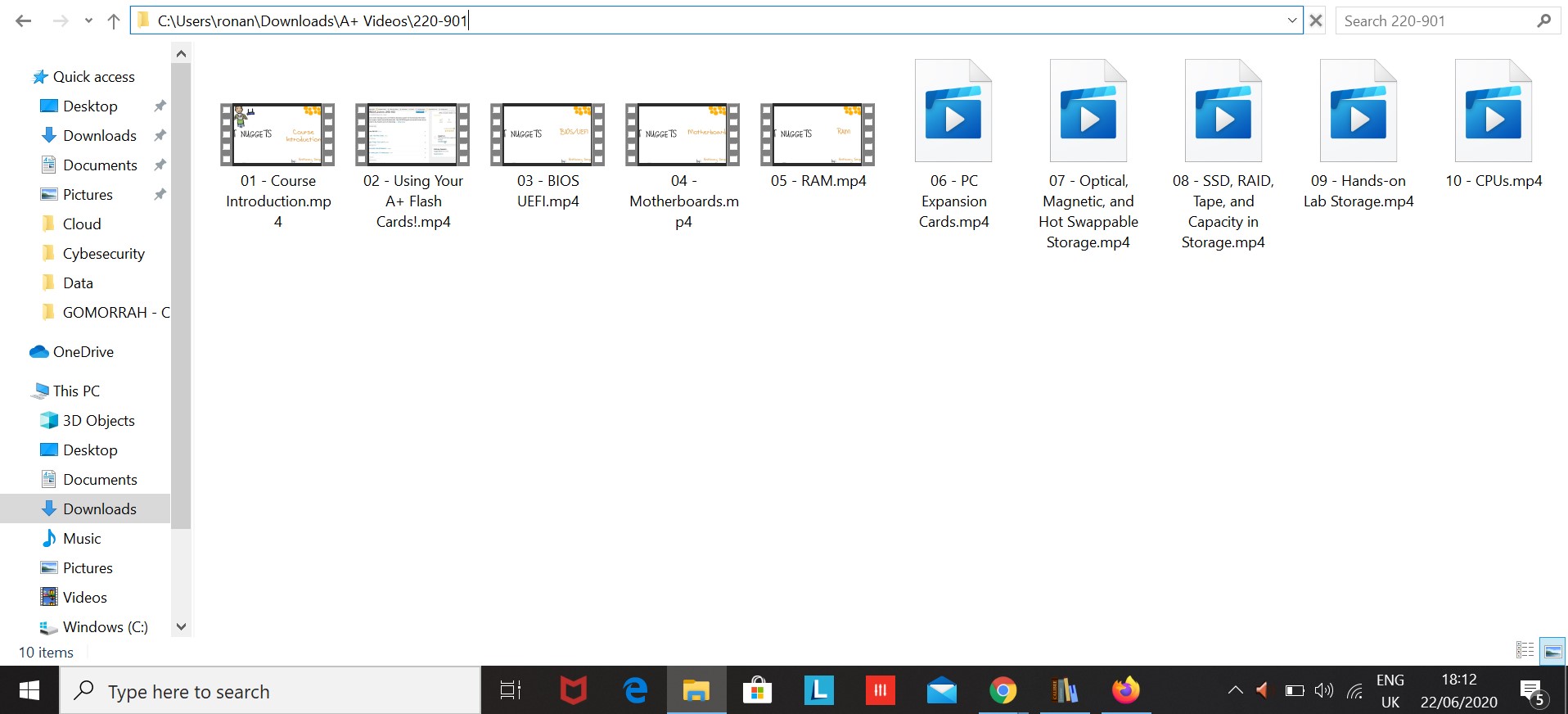
File storage is useful up to a point. But when the number of files becomes large, or the file sizes are huge, file storage structures become very inefficient. The best business use cases for file storage are for employees wanting to store and access files on their workstations and for teams of employees wanting to share a small number of important files about a project.
Object Storage
Object storage stores data files as objects and couples this stored data with information about the data that makes it easier to find. The structure for object storage is a flat structure with no hierarchy. There are also no set limits on the object sizes.
Object storage solves the problem of efficiently storing unstructured data. Unstructured data, such as pictures and videos, don’t fit into a defined data model or easily fit into a defined structure. The way to efficiently store and retrieve unstructured data is to maximize the information about that data. This information is known as metadata, and it doesn’t exist in object storage.
Object storage is great for storing unstructured data that might form the bulk of an enterprise’s content marketing materials—think product images, videos, PDF files, infographics, etc. Object storage is also a good option for backing up archived data that is not accessed frequently.
Conclusion
It’s clear that IT decision-makers need to understand the types of cloud storage before making a commitment to invest in a particular service provider’s solutions. Ideally, you’ll have a cloud strategy with clearly defined storage objectives. Your organization can use the information above to find a cloud vendor that meets these objectives with the best mix of cost and performance.
If you enjoyed this article and you’d like me to write an engaging, well-researched article or blog post for your business on any technical IT topic, you can email me now by clicking the below button:
Get in Touch